top of page



Janaury - May 2026
Art 318 - Interactive Design: Mobile UX/UI Design
In Emily’s Art 318 course, she designed a full mobile app from concept to execution, including wireframes, a design system, and UX development. The project addressed fast fashion waste and overconsumption.
Concept
ReWear is a digital platform that helps users maximize what they already own through a digital closet, an outfit-inspiration feed, and a resale marketplace. Inspired by Depop and Instagram, it turns personal style into a social, interactive experience centered on rewearing and restyling.
Purpose
ReWear addresses the cycle of overbuying by helping users:
Remember and organize what they already own
Style new outfits from existing pieces
Reduce unnecessary purchases
Participate in a circular fashion economy
The goal is to make sustainable fashion feel social, engaging, and aspirational rather than restrictive.

Key Features
Digital Closet & Outfit Logging
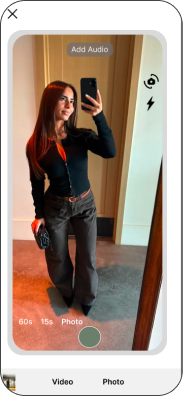
: Users can upload their wardrobes, track outfits, and view cost-per-wear insights to better understand their shopping habits.
Outfit Suggestions & Inspiration Feed:
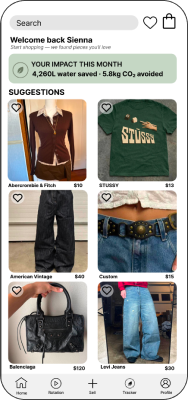
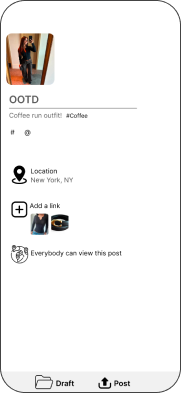
The app generates outfit combinations from existing clothing and allows users to share styled looks with others.
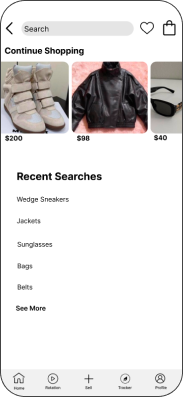
Resale Marketplace
:
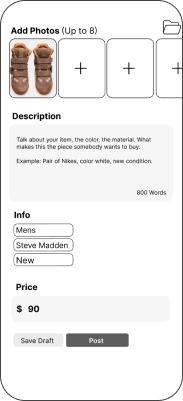
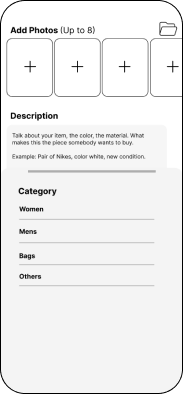
A built-in platform where users can buy and sell secondhand items directly from digital closets, supporting a circular fashion system.
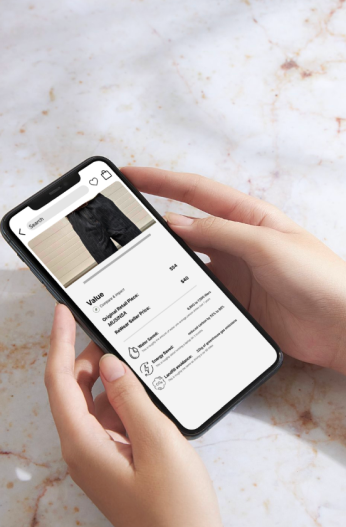
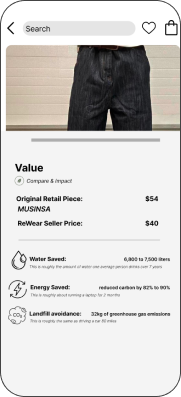
Environmental Impact Tracking
:
Users can see their positive impact, including estimated water saved, carbon emissions reduced, and textile waste avoided.
Sustainability Impact
ReWear promotes more conscious consumption by extending the lifecycle of clothing and encouraging secondhand and rewear culture. By making sustainability interactive and community-driven, the app helps users rethink their relationship with fashion while reducing environmental waste.

Wireframes

Wireframes


Design System





Design System

bottom of page